Engineering Notes / Node.js
An Observability Baseline for a Node.js Service Before the First Incident
A concrete baseline for metrics, structured logs, traces, and alerting in a Node.js backend running on AWS before production pressure forces the issue.
The worst time to design observability is during the incident itself. By then the team is already guessing, dashboards are inconsistent, and logs are either too noisy or too thin to explain what changed.
For a Node.js service running on AWS, I usually want a baseline in place before traffic or operational complexity grows too much: request metrics, structured logs, distributed traces, and a small set of alerts tied to user pain rather than raw infrastructure chatter.
Start with one request path that matters
Do not begin by instrumenting everything. Start with one path that matters to the business, for example POST /payments, POST /checkout, or a queue worker that publishes settlements.
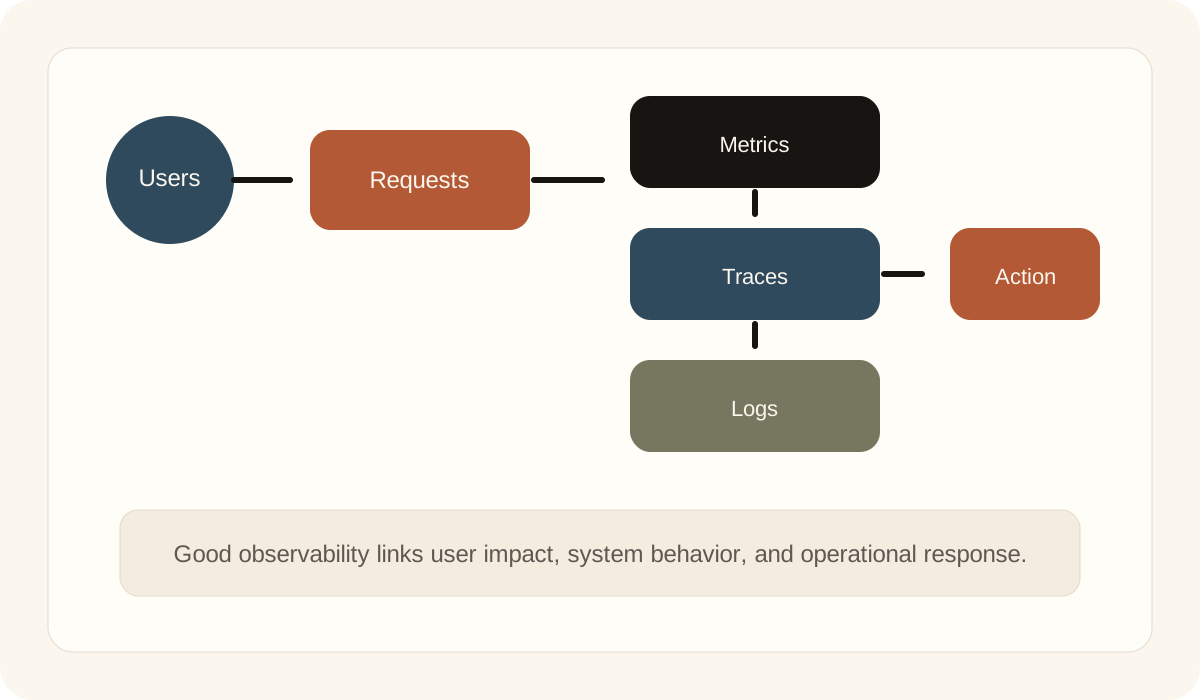
That path should let an engineer answer four questions fast:
- Is the service healthy from the user's point of view?
- Which dependency or downstream system is slow or failing?
- Did the error start after a deployment or traffic change?
- How do I move from the symptom to the responsible code path?
If the baseline cannot answer those questions, the team does not have observability yet. It only has tooling.
Emit service-level metrics first
Infrastructure metrics matter, but application metrics usually detect real pain earlier. For an HTTP service, I want at least:
- request count
- error rate
- request latency
- dependency latency
- queue depth for any async path
- retry count for workers
A basic prom-client setup in a Node.js service can get most of the foundation in place:
ts
import client from 'prom-client'
import express from 'express'

const register = new client.Registry()
client.collectDefaultMetrics({ register })

const httpDuration = new client.Histogram({
  name: 'http_request_duration_seconds',
  help: 'Duration of HTTP requests in seconds',
  labelNames: ['route', 'method', 'status_code'],
  buckets: [0.05, 0.1, 0.25, 0.5, 1, 2, 5],
})

register.registerMetric(httpDuration)

const app = express()

app.use((req, res, next) => {
  const start = process.hrtime.bigint()

  res.on('finish', () => {
    const duration = Number(process.hrtime.bigint() - start) / 1_000_000_000
    httpDuration
      .labels(req.route?.path || req.path, req.method, String(res.statusCode))
      .observe(duration)
  })

  next()
})

app.get('/metrics', async (_req, res) => {
  res.set('Content-Type', register.contentType)
  res.end(await register.metrics())
})
The important part is not only exporting metrics, but choosing labels and buckets that make incident triage faster.
Use structured logs with request context
If logs are still plain strings, incidents become a text search problem. Structured logs with stable fields reduce that immediately.
In a Node.js service, a logger like pino is usually enough:
ts
import pino from 'pino'
import { randomUUID } from 'crypto'

const logger = pino({
  level: process.env.LOG_LEVEL || 'info',
  base: {
    service: 'payments-api',
    environment: process.env.NODE_ENV,
  },
})

app.use((req, res, next) => {
  const requestId = req.header('x-request-id') || randomUUID()
  req.log = logger.child({
    requestId,
    route: req.path,
    method: req.method,
  })

  res.setHeader('x-request-id', requestId)
  next()
})
At that point, every application log can be tied back to a request, deployment window, or customer report without guesswork.
Trace the boundaries where latency compounds
Tracing becomes most useful where requests cross boundaries: database queries, HTTP calls to upstream APIs, queue producers and consumers, and third-party services.
For AWS workloads, that often means instrumenting:
- inbound HTTP requests
- PostgreSQL or DynamoDB calls
- SQS publish and consume paths
- outbound calls to payment, auth, or notification services
The goal is not collecting every span. The goal is being able to answer: where did the latency accumulate and which dependency changed?
Alert on symptoms before infrastructure noise
I generally prefer a small alert set tied to service behavior:
- sustained increase in 5xx responses
- p95 latency above the acceptable threshold
- queue lag or queue depth beyond normal range
- worker retry spikes
- dependency-specific failure rate when one upstream is unhealthy
A Prometheus-style alert rule for latency can be enough to start:
yaml
groups:
  - name: payments-api
    rules:
      - alert: HighRequestLatencyP95
        expr: histogram_quantile(0.95, sum(rate(http_request_duration_seconds_bucket[5m])) by (le, route)) > 1.2
        for: 10m
        labels:
          severity: page
        annotations:
          summary: "p95 latency is above 1.2s for 10 minutes"
That is usually more actionable than alerting on a random CPU spike that never affects users.
Make the first dashboard answer operational questions
I like dashboards that are boring and useful. For a service dashboard, the first screen should answer:
- what changed in traffic, error rate, and latency
- which route or worker is responsible
- whether one dependency stands out
- whether the issue lines up with a deployment window
If a dashboard requires three tabs before the failure becomes visible, it is too slow for incident response.
Observability is part of system design
The baseline should not be treated as optional polish after the service ships. It belongs in the same conversation as retries, timeouts, idempotency, rate limits, and deployment safety.
That is the standard I care about most: when production gets noisy, can an engineer move from symptom to responsible path without guessing? If the answer is yes, the service is already in a much better operational position.